Aditus KYC · an ADITUS OS application
Know every customer and every meter, from the first visit.
Aditus KYC is how an electricity company registers its customers and meters. Field agents capture each customer on an Android phone, even with no network. Records sync to your own server, and your admins run everything from a web dashboard: the map, corrections, meter boxes, exports and API keys.
Live at kyc.aditusos.com. Each company gets its own login and its own separate data; agents sign in to the app with their company code. Play Store and App Store listings are on the way. Screens on this page show sample data.
What it involves
A record you can stand behind.
One record per meter, with the evidence attached and the checks done twice: once on the phone and again on the server.
Works with no network
Agents register customers fully offline. Records are saved on the phone and sync on their own when a connection returns.
Locations you can trust
GPS must be within the project limit (10 m by default), fresh, and inside the project's State. Fake-GPS apps are refused.
Photo evidence
A customer photo and a premises photo, taken with the in-app camera, never picked from the gallery.
One meter, one record
A meter number can be registered once. A second attempt is refused and listed for the admin to follow up.
Corrections with a history
Admins correct records in the dashboard. Each change records who, when, the source and the reason.
Your data, kept apart
Each company gets its own server, accounts and keys, with nightly backups. NINs are masked in lists and hidden from API keys unless you allow it.
The mobile app
Built for the agent at the door.
An Android app with large fields, clear sections and a sync status that is always in view.
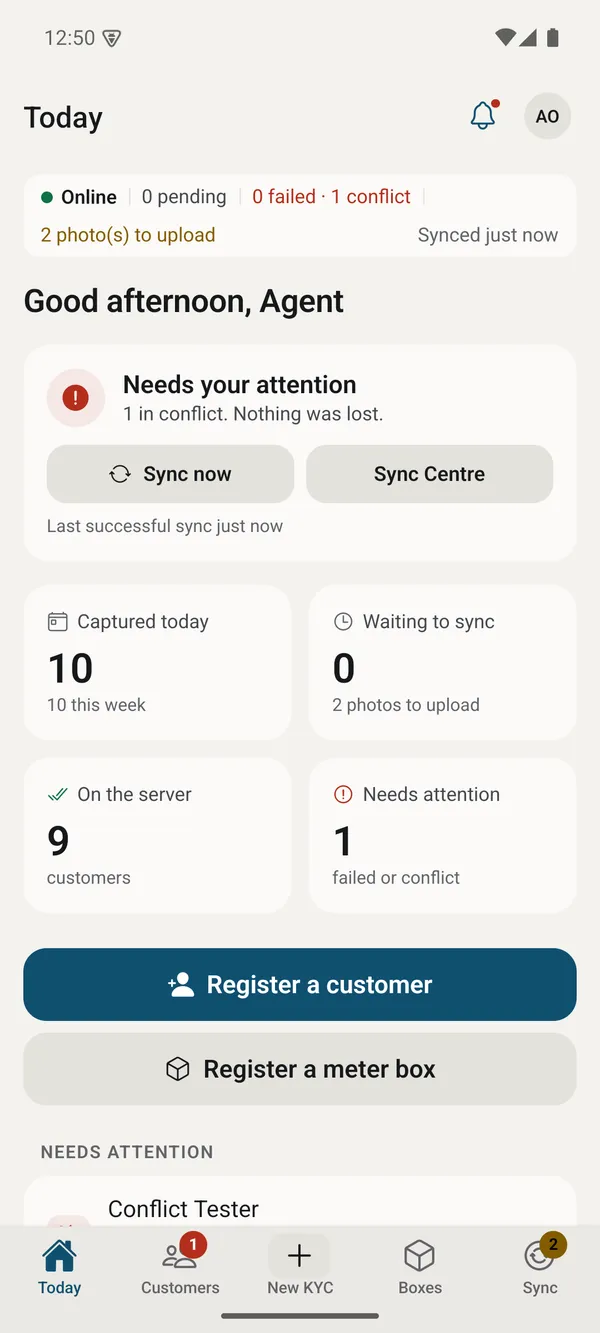
Today
What the agent captured, what is waiting to sync and what needs attention.
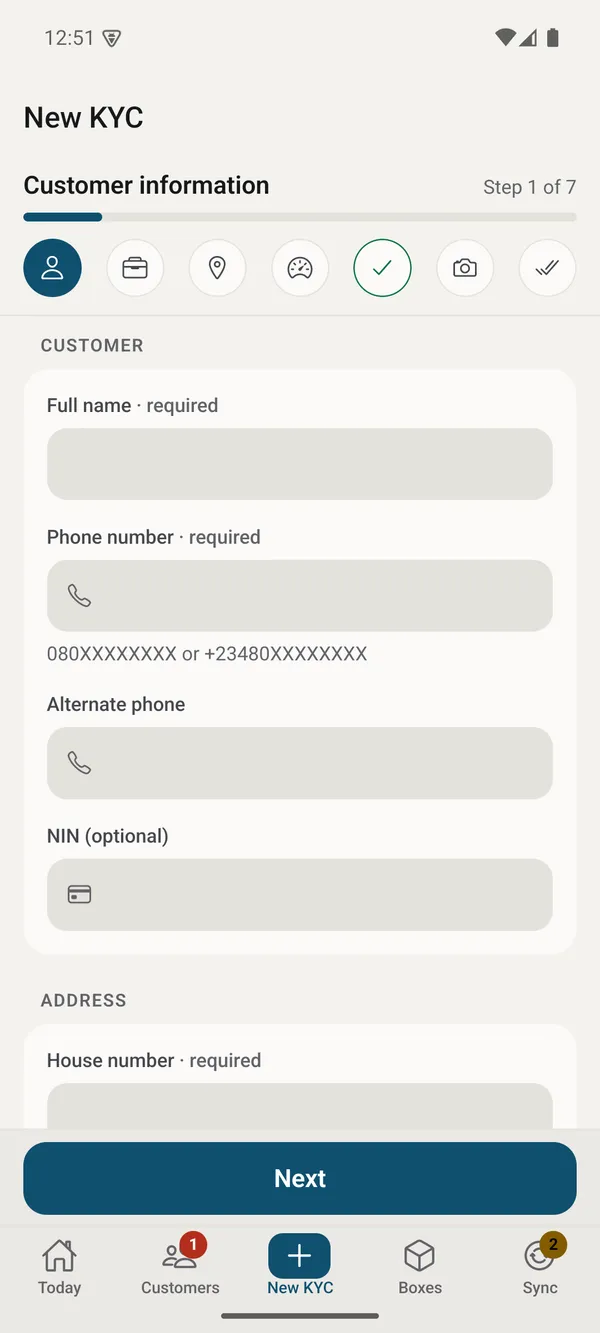
New customer
A seven-step form that saves a draft as the agent types.
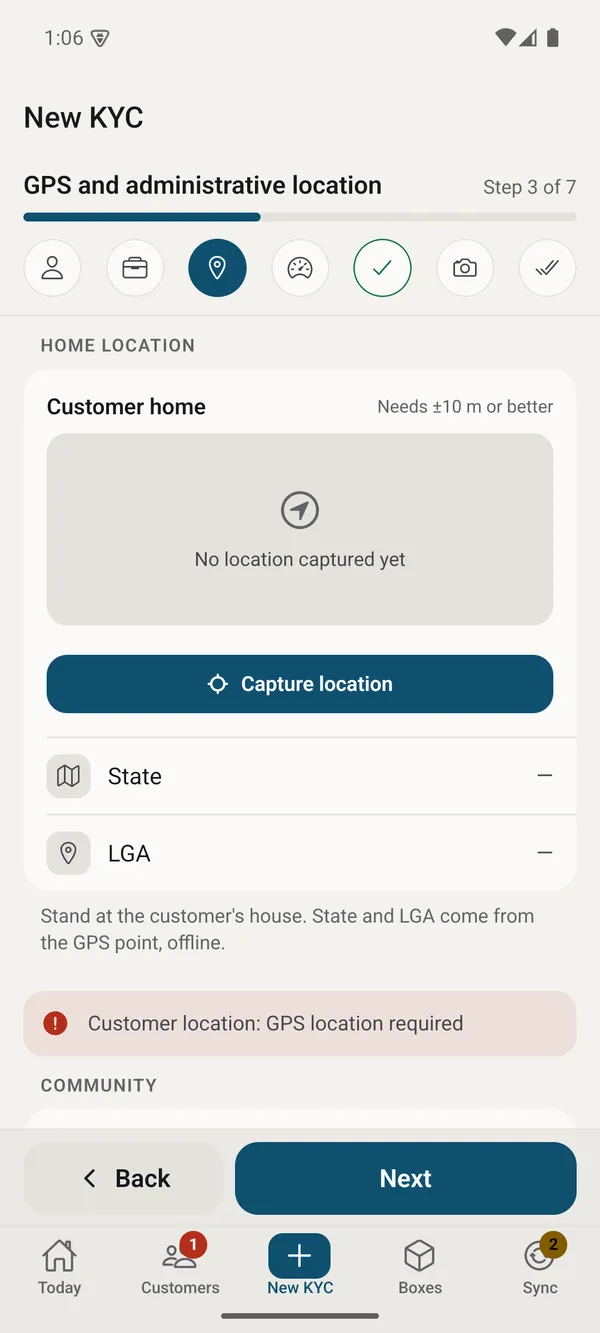
GPS location
The home location must meet the accuracy limit. State and LGA come from the point, offline.
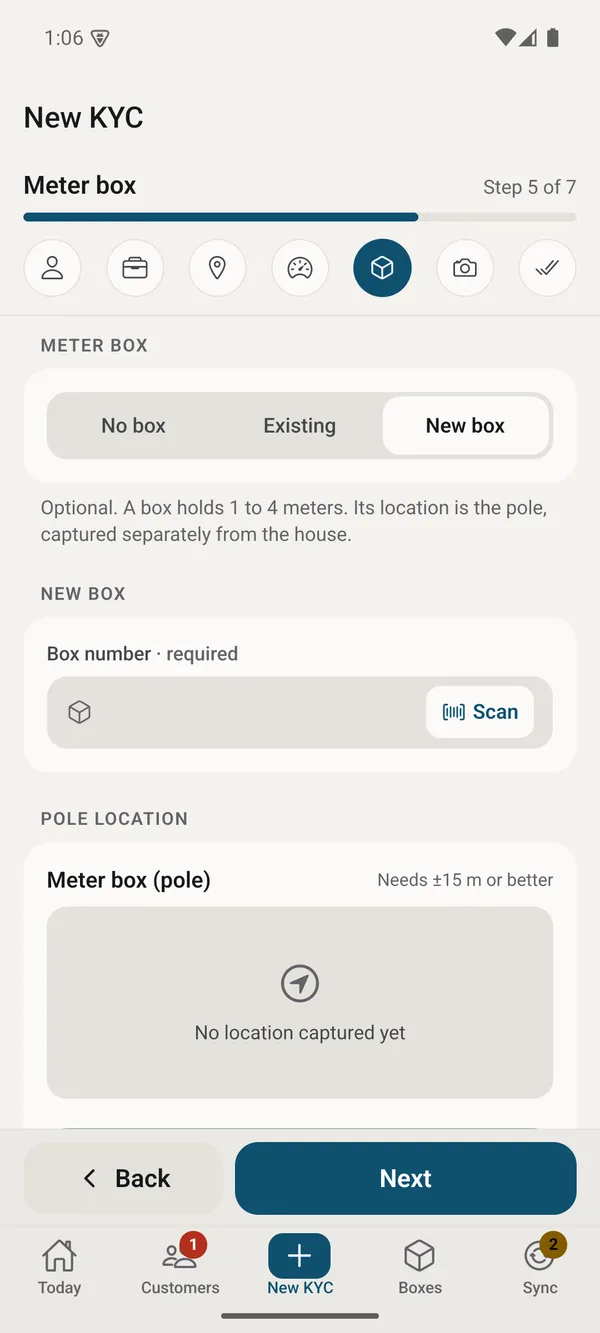
Meter box
The box on the pole has its own number and its own location.
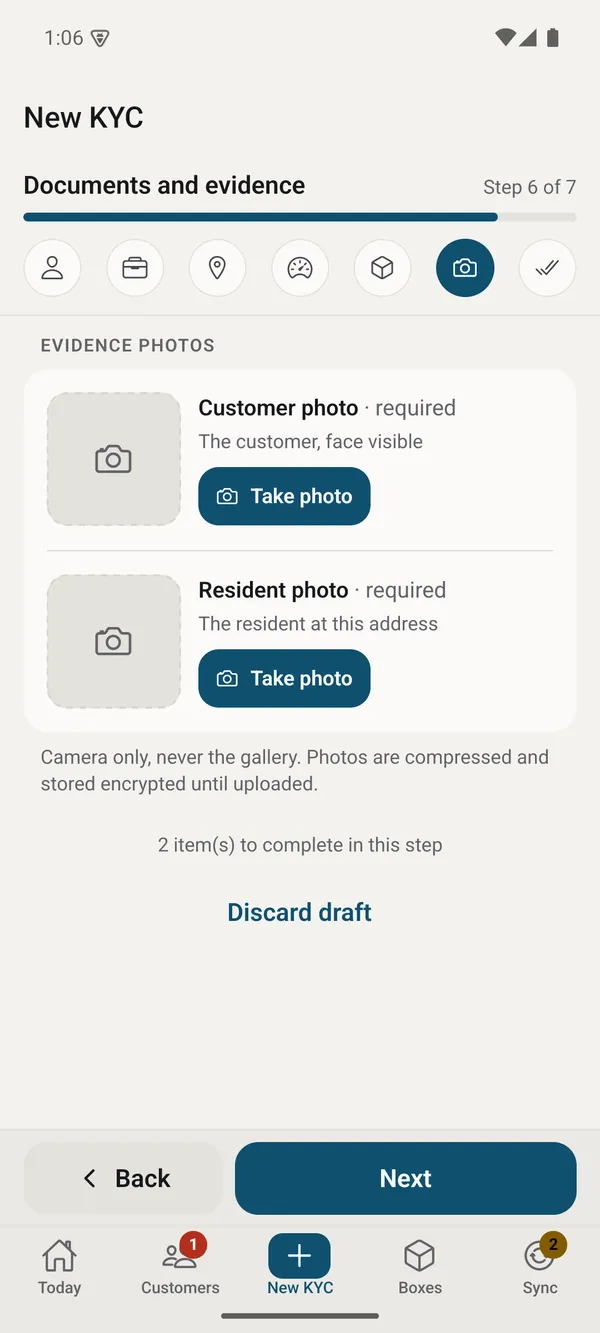
Photos
Customer and premises photos, taken with the camera at the visit.
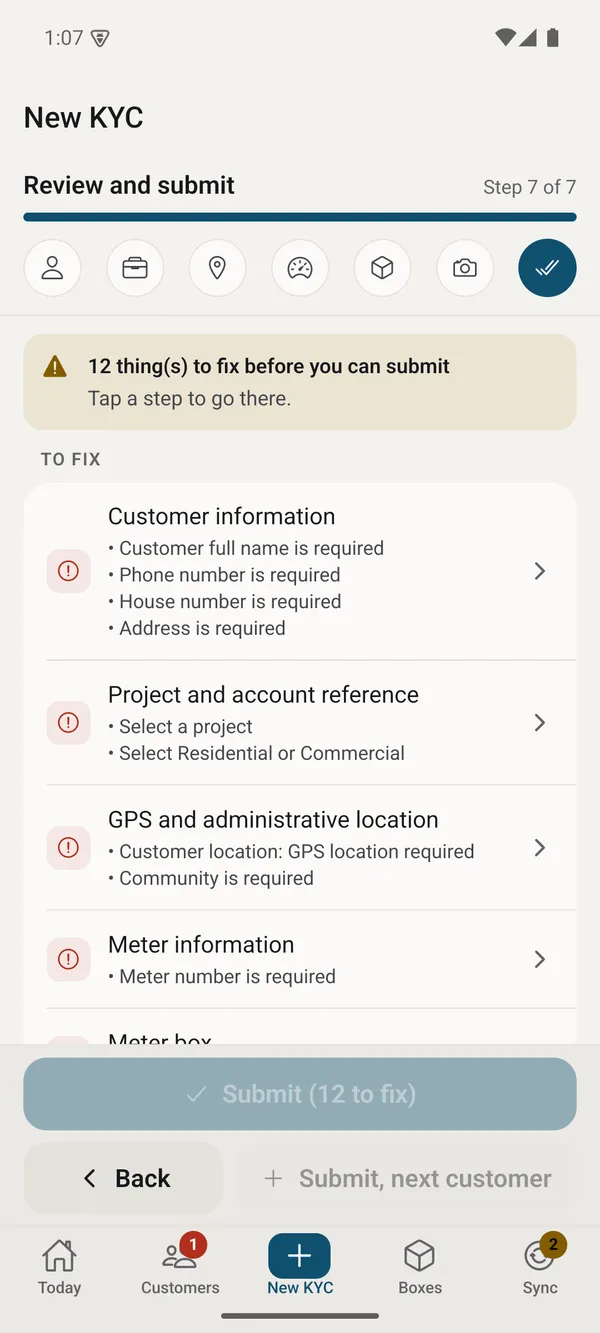
Review and submit
Every missing item is listed, and a tap opens the step that needs fixing.
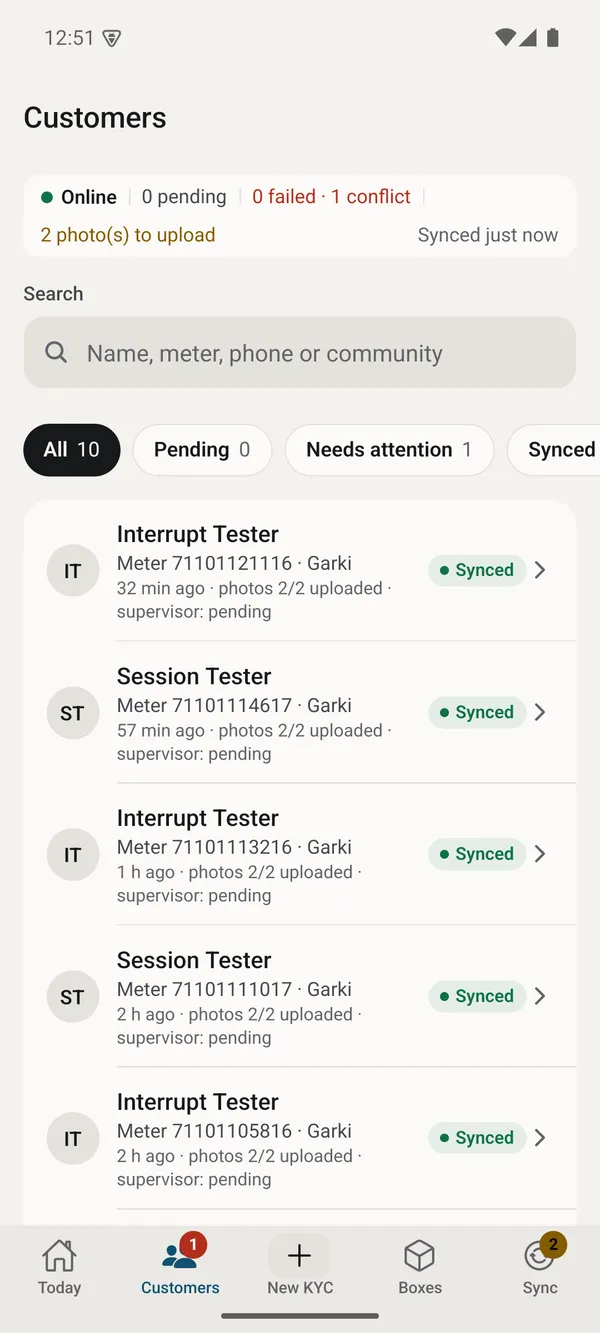
Customers
Each record with its sync, photo and supervisor status.
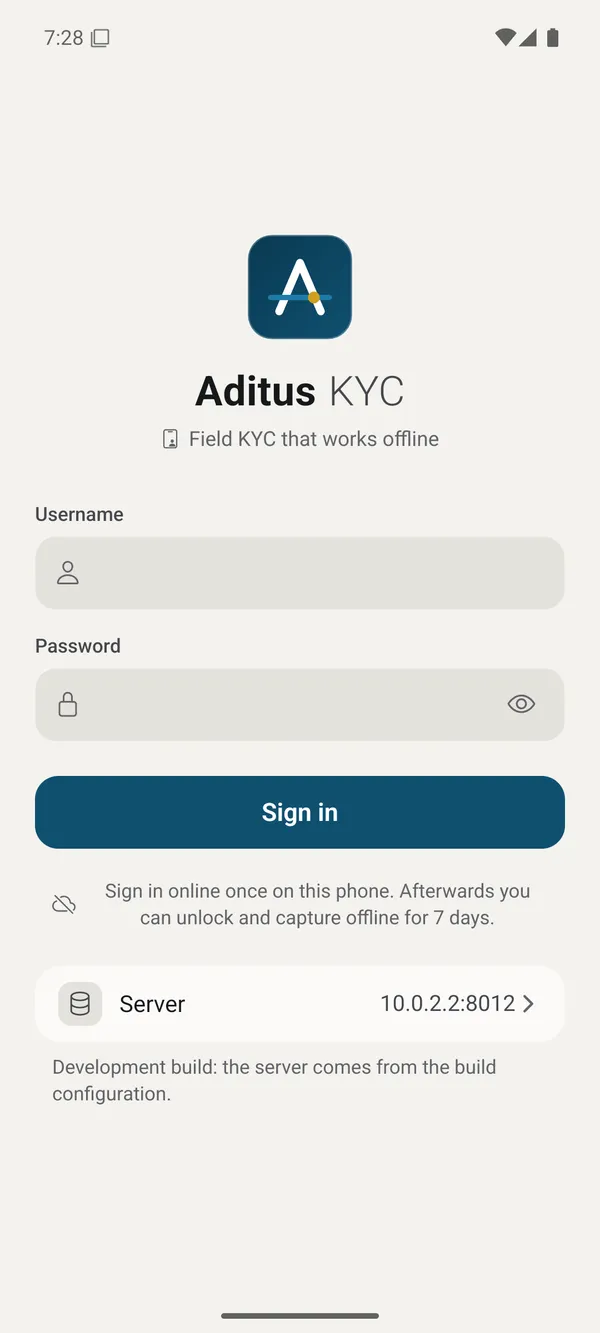
Sign in
One online sign-in, then the app unlocks offline.
Walkthrough videos
Watch it in action.
Sign in, create a project and its communities, add an agent, then review, correct and export records. Narrated, on sample data.
The web console
Where admins run the operation.
The other half of Aditus KYC is a web dashboard at your own address, for your admins only.
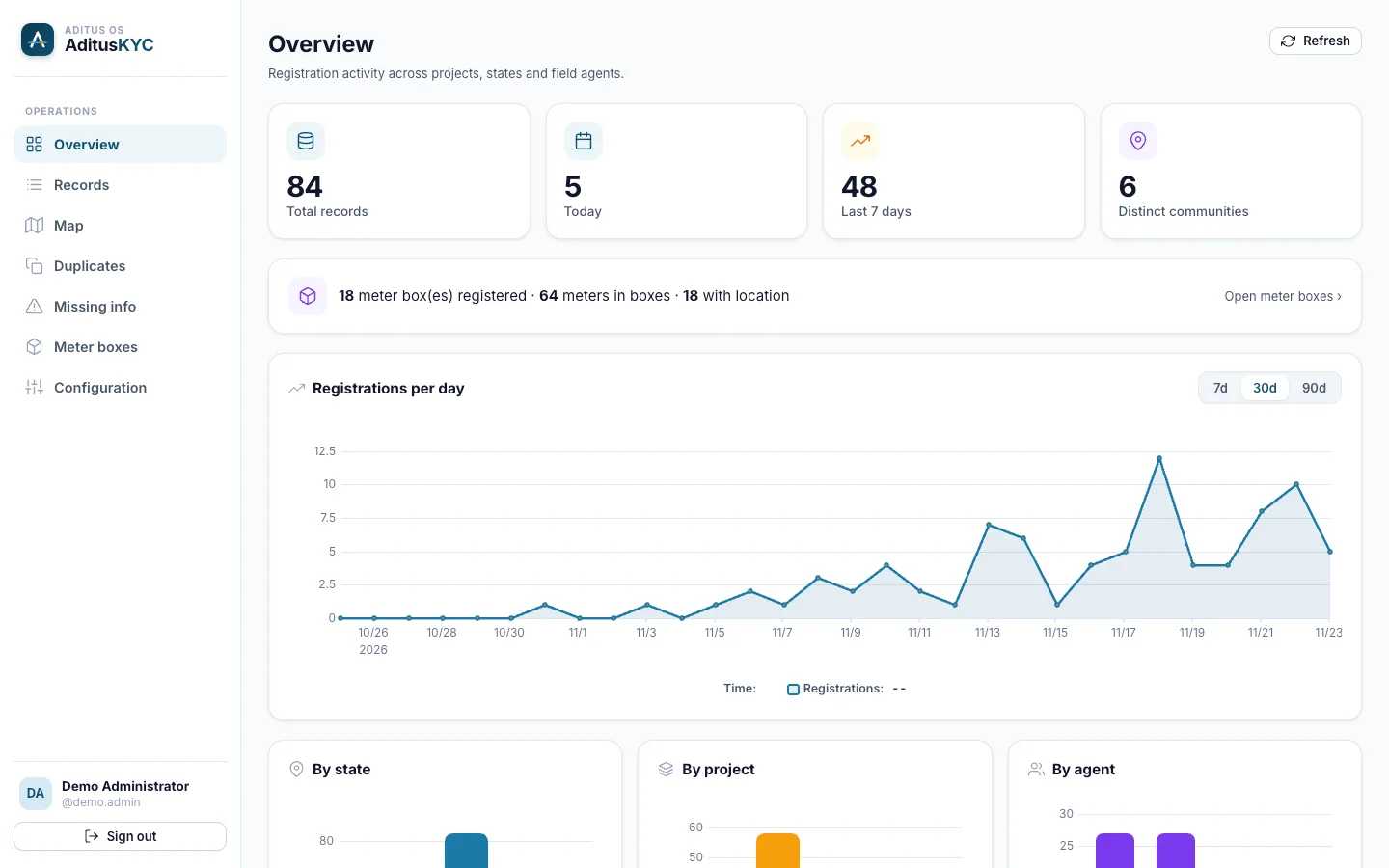
Overview
The morning check: total records, today, the last seven days, meter boxes, registrations per day, and breakdowns by state, project and agent.
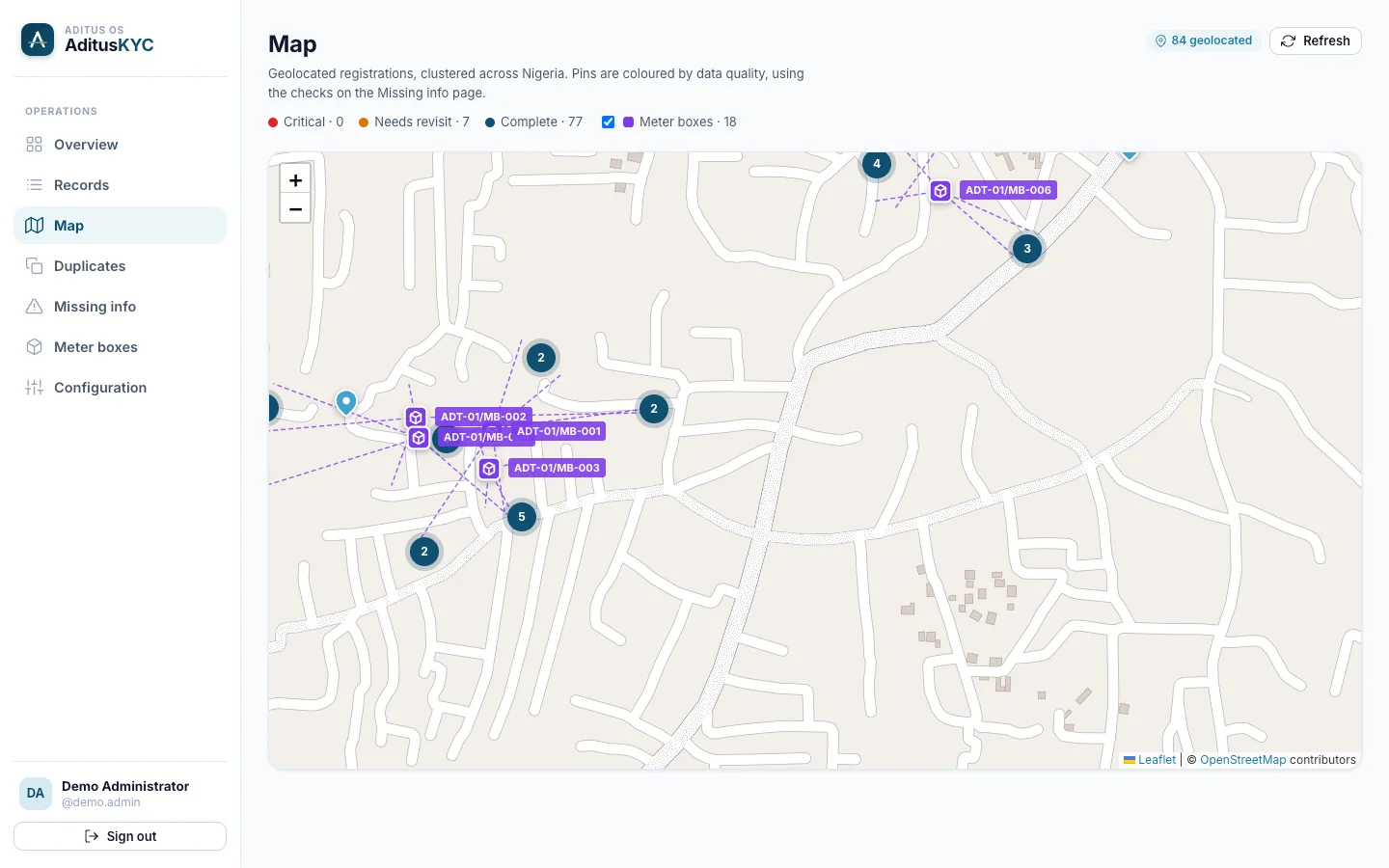
Map
Every customer with GPS, clustered and coloured by data quality. Meter boxes show as squares on their poles, joined to the customers they serve.
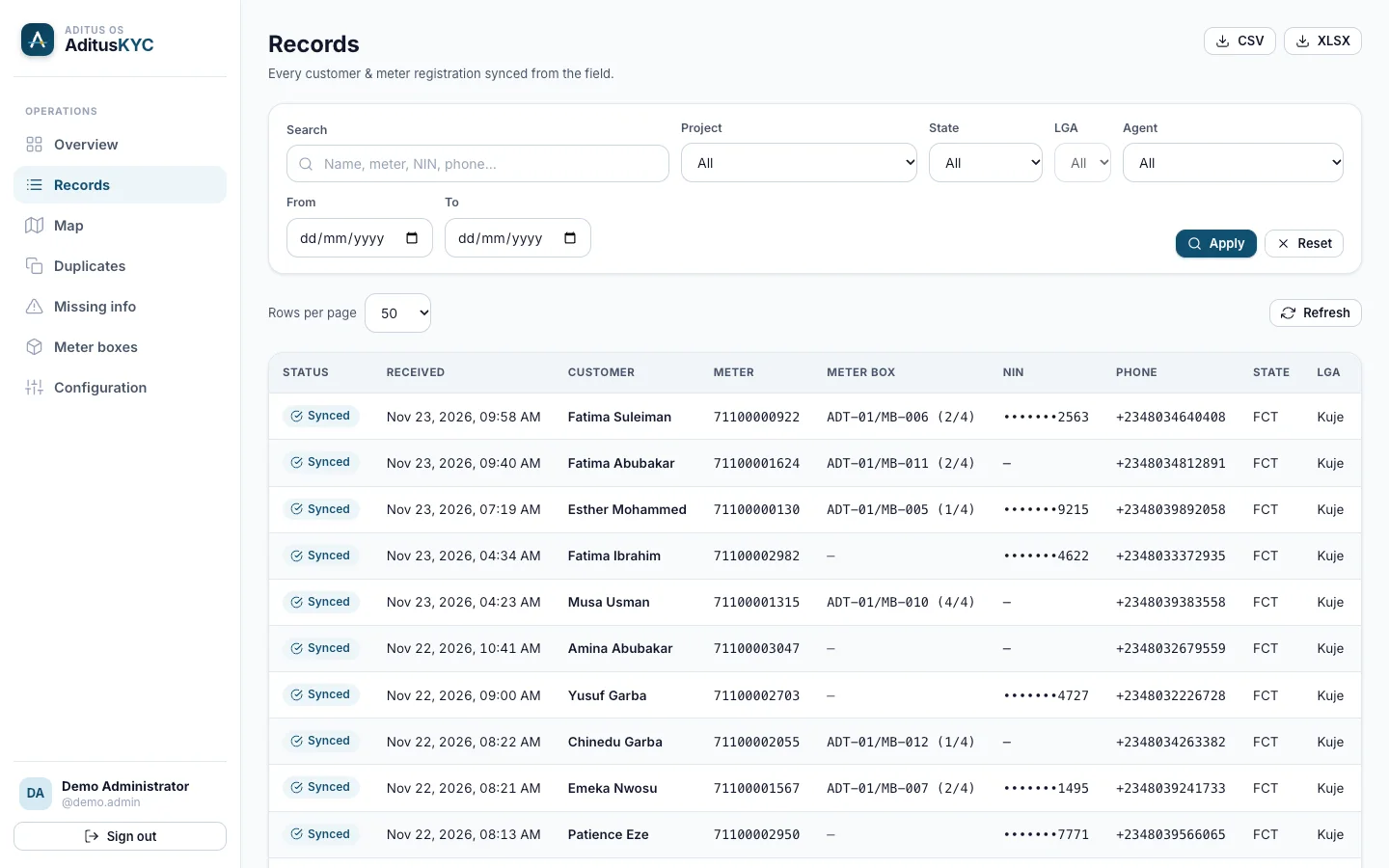
Records
Search by name, meter, NIN or phone and filter by project, state, LGA, agent and date. Export what you see as CSV or Excel.
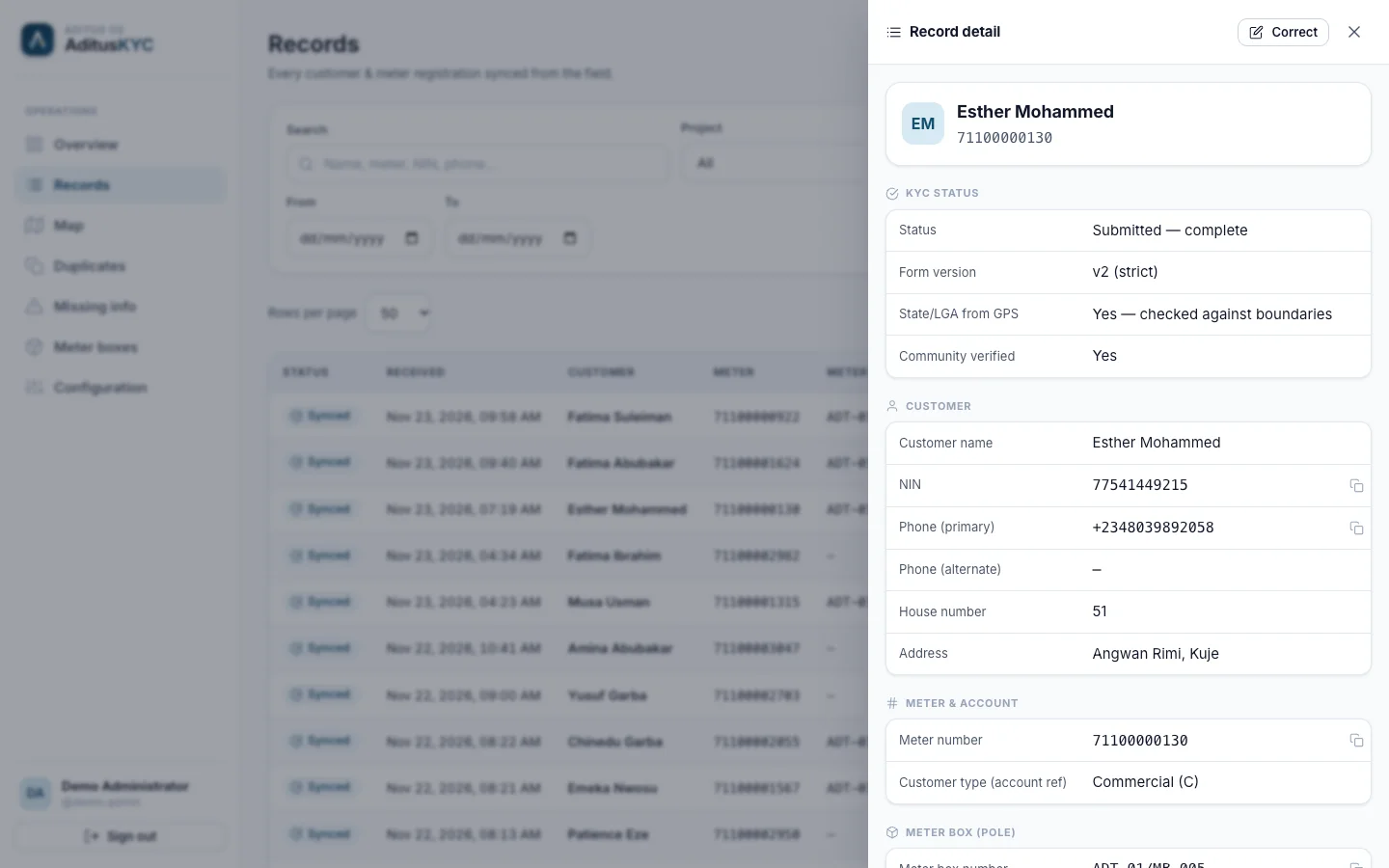
Record detail and corrections
Open a record for the customer, GPS, photos, status and full history. Agents cannot edit on the phone: an admin corrects it here, choosing the source and writing a note, and every change is kept.
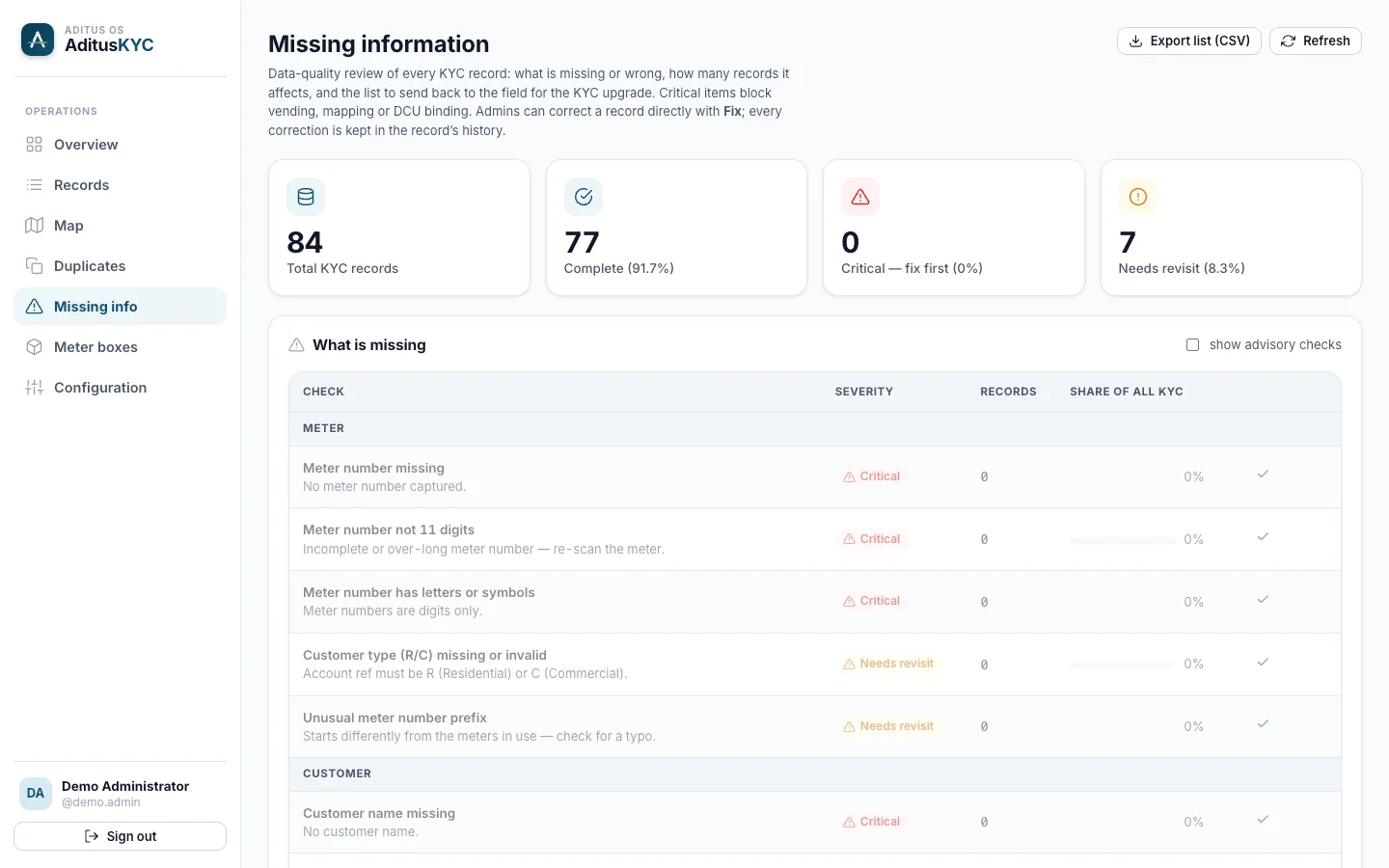
Missing info
Every record is checked and problems are graded Critical, Needs revisit or Info, from a wrong meter number to weak GPS or a missing photo. Follow up by agent, fix on the spot, or export the list.
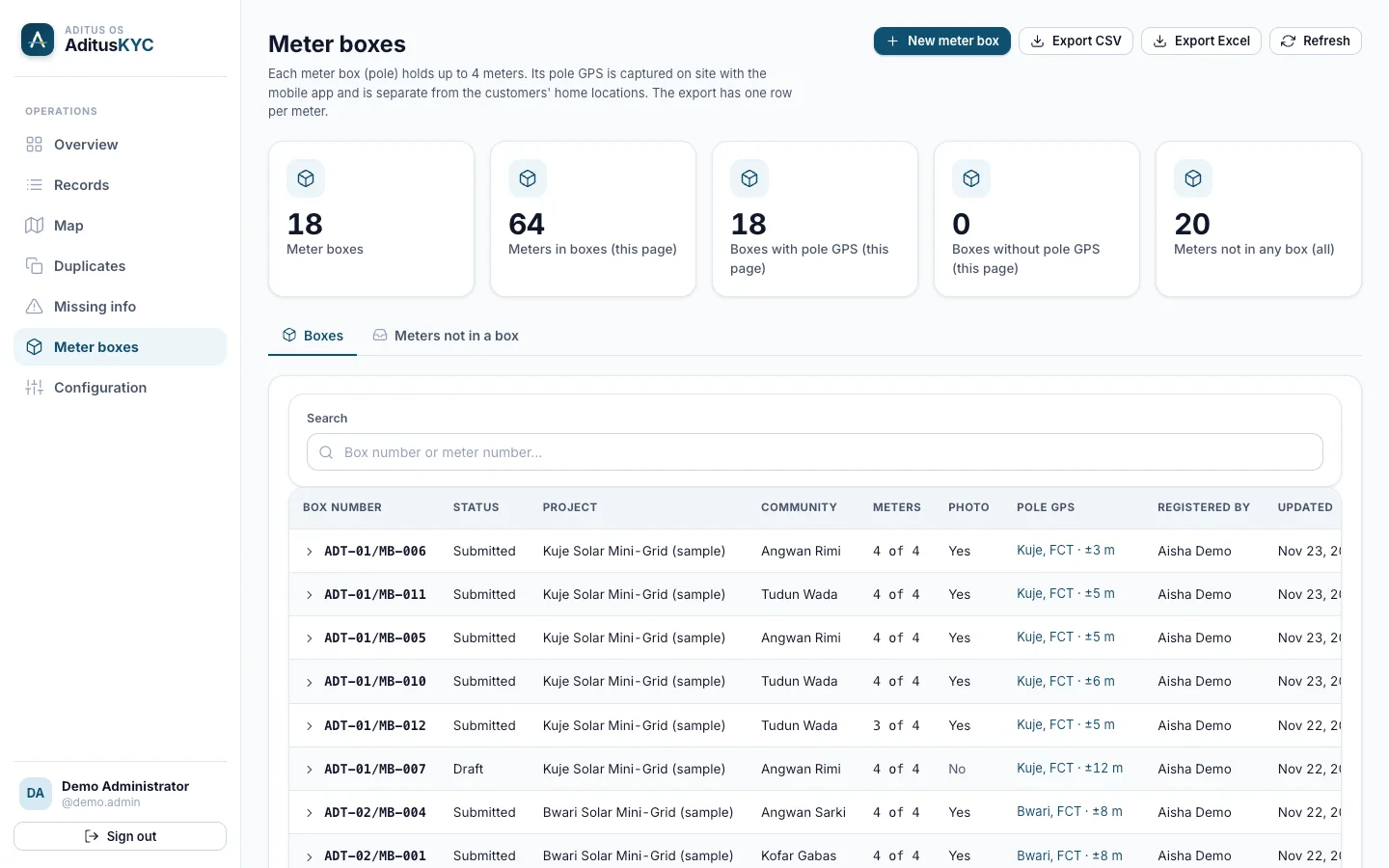
Meter boxes
A meter box sits on a pole and holds up to four meters. See each box, its meters, its photo and its pole GPS, and the customers not yet in a box.
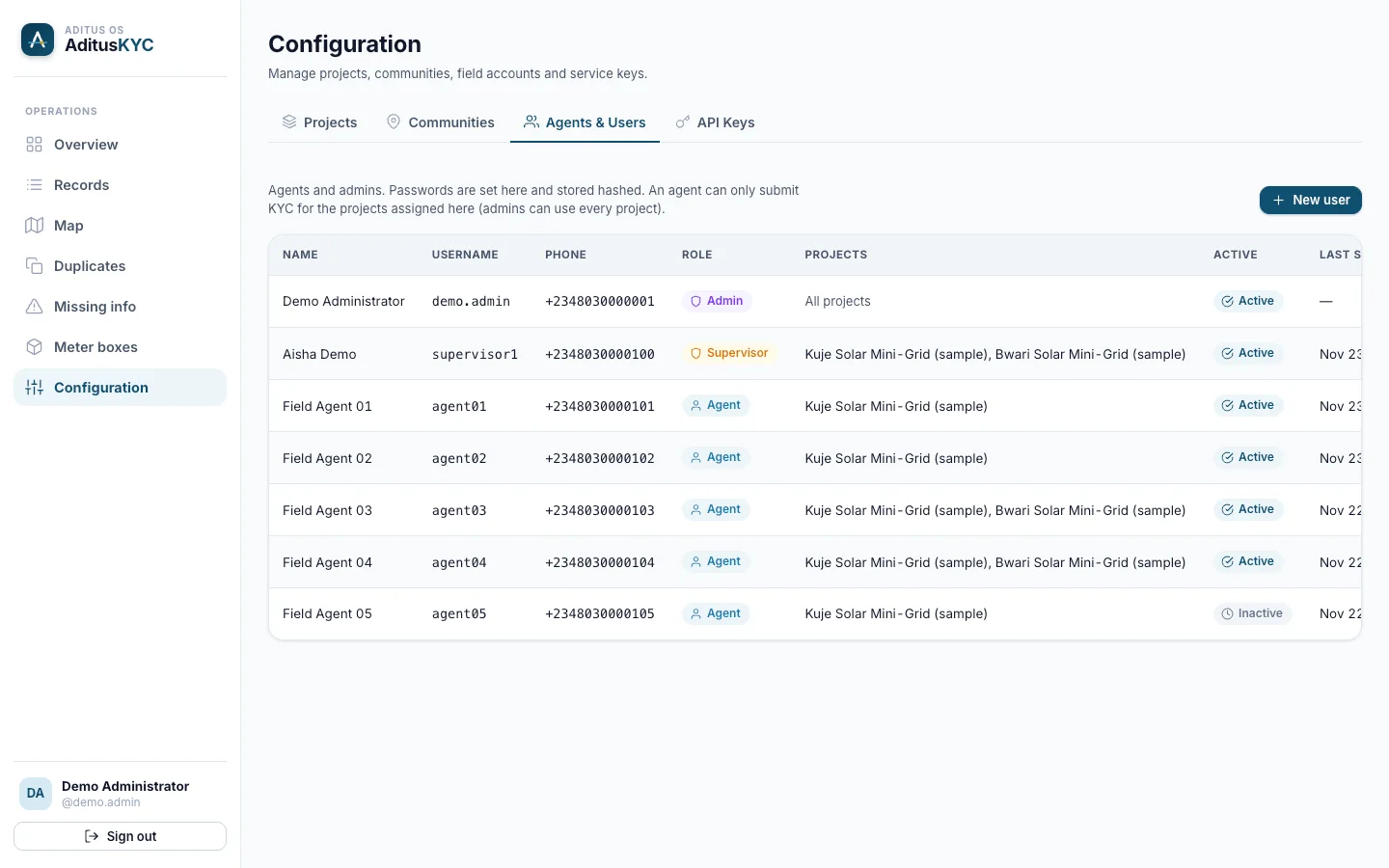
Projects, communities and staff
Set up projects with their State and GPS limit, add communities, create accounts and choose which projects each agent can capture in. Deactivate an account and the phone stops at its next sync.
How it fits your system
From set-up to a working register in six steps.
You do not need to change your meters or your billing to start. Aditus KYC runs on its own and hands its data to the systems you already use.
Step 1
We set up your own Aditus KYC
A dedicated server and web address for your company, with your name on the dashboard and on the Android app. Your data is kept apart from every other company.
Step 2
You create projects, communities and accounts
One project per site, with its State and GPS accuracy limit. Add the communities, create your agents and supervisors, and assign each one to their projects.
Step 3
Agents install the Android app
From a download link on your dashboard's sign-in page. Each agent signs in once with network, and after that the app works offline.
Step 4
Registration happens at the house
Customer details, the 11-digit meter number, GPS, two photos and the meter box. Records sync when the phone finds a connection.
Step 5
Admins watch and fix from the dashboard
Overview and Map each morning, Missing info for anything critical, Duplicates for repeat meters. Corrections are made on the web and logged.
Step 6
The register feeds your other systems
Export CSV or Excel at any time, or give your billing or vending system a read-only API key. Keys can expire and hide personal data by default.
Who does what
Three roles and a short list of rules.
The system enforces the rules, so your register stays clean without anyone policing it by hand.
Roles
- AdminWeb dashboard and app
- Everything: projects, communities, users, records, corrections, meter boxes, exports and API keys.
- SupervisorAndroid app
- Captures customers and meter boxes in assigned projects.
- AgentAndroid app
- Captures customers in assigned projects.
Rules the system enforces
- Meter number
- Exactly 11 digits, unique across your company.
- Customer name
- First and last name. Placeholders such as "test" or "n/a" are refused.
- Phone
- A Nigerian mobile number, for example 0803… or +234803…
- NIN
- Optional. If given, exactly 11 digits.
- Customer GPS
- Within the project limit (default ±10 m), no older than 15 minutes, inside the project's State.
- Photos
- Customer photo and premises photo, taken with the in-app camera.
- Meter box
- Up to 4 meters. Pole GPS captured on site at ±15 m or better.
- Agents
- Capture only in the projects they are assigned to.
How it is built
Three parts, one record.
Designed and built by MeerTech Limited in Nigeria, from field registration work with mini-grid operators.
Android app
React Native (Expo). Every capture is written to a database on the phone first, so saving never depends on the network.
Server and API
A Python (FastAPI) service that repeats every check, stores records and photos, and publishes a documented REST API for other systems.
Web dashboard
A fast admin dashboard in the browser, in light and dark themes, that uses the same API your integrations do.
See Aditus KYC working.
We will walk you through a registration on the phone and the dashboard behind it, on sample data, and talk through setting it up for your company.